

Swiftbet app: one race day followed from the couch at home, through the trip to the track, to a seat in the grandstand
An app review usually lists features. This one follows a Saturday instead. The Swiftbet app does different jobs at home, on the road and at the track, and each stage of the day asks something different of your phone.
The Swiftbet app on iOS and Android
Swiftbet has an app for iPhone and for Android phones, and both come from the official stores: the App Store and Google Play. It runs on the same account as the website. Install it from the store, check the developer name on the listing, and you are ready for the day.
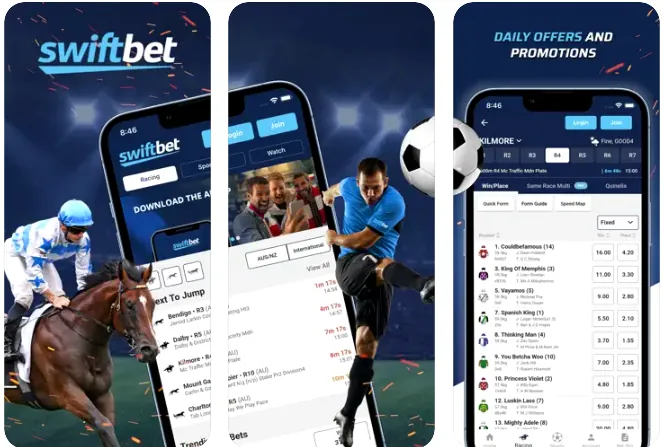
That is the whole setup.
At home: the full card on the couch
Morning is planning time. On the couch, with wifi and a coffee, the Swiftbet app is where you read the whole card: gallops, greyhounds and harness, meeting by meeting, with time to look at a same race multi or decide whether a race suits Top Tote, Best Tote or Top Fluc. It is also the calm moment for money. If you are going to deposit for the day, do it here, at home, against the limit you set for the week, rather than in a queue at the track with a race about to jump and the crowd pushing past.
On the road: a quick bet before the next race
The train or the passenger seat gives the Swiftbet app a different job. You are not planning any more, you are acting on a plan, and the app's value on the road is speed: open, find the race, place the bet you already chose, close. Keep it short.
A bet you would not make at home is not a better bet on the road.
In the grandstand: when the signal thins
Here is the part nobody mentions in a store listing. A big crowd at a racecourse shares the same mobile towers, and on a feature race day the signal can thin out exactly when everyone reaches for their phone at once. So your Swiftbet habits change at the track. Place your bet before you walk down to the rail rather than in the last minute before the jump, let a push alert tell you the result instead of refreshing a page that will not load, and keep the Swiftbet phone line in mind as a backup, since industry reviews describe it as open on race days and its number is listed in the operator's contact section. The screen and the voice work on one account. How the two counters share it is explained on the login page, and the channels themselves, with their hours, are in chat, email and the phone line.
| Where you are | What the app is best for | Habit worth keeping |
|---|---|---|
| at home, on wifi | reading the full card, deposits | deposit against your weekly limit |
| on the road | placing a bet you already planned | keep the session short |
| in the grandstand | results by push alert | bet before you walk to the rail |
| when the signal drops | the phone line as a backup | save the number from the contact section |
Checked in October 2026. Terms change; the operator's screen at the time of the transaction is final.
Getting the Swiftbet app onto your phone
There is one rule, and it covers both phones. On an iPhone you go to the App Store, on an Android phone to Google Play, and in either case you search for Swiftbet and look at the developer name on the listing before you tap install, because that name is the quickest proof that the app comes from the operator. Updates arrive through the same store.
A file offered for download on some other website, often with a name ending in apk and an icon that looks right, is not from Swiftbet. Leave it alone.
| Phone | Where the app lives | What to check before installing |
|---|---|---|
| iPhone | App Store | the developer name on the listing |
| Android | Google Play | the developer name on the listing |
| a file from another website | not from the operator | nothing to check, skip it |
Find the Swiftbet app in your store
Swiftbet push alerts as a punter's tool
Swiftbet push alerts are easy to switch off out of habit. For a racing punter they are worth keeping on, selectively. A result alert saves you staring at a loading page in the grandstand, and an alert when a withdrawal moves saves you checking the cashier every hour. Pick the alerts that answer a question you would otherwise ask the screen, and turn the rest off.
The Swiftbet app also holds your limits, and they work the same here as on the website. If betting from the phone starts to feel like something you cannot put down, Gambling Help Online is on 1800 858 858, and BetStop, the national self-exclusion register, can block every licensed Australian bookmaker in one go.
One Swiftbet account on every screen
The app does not create a second account. Your Swiftbet balance, history, limits and verification status are the same in the app and on the website, so a deposit made on the couch is waiting when you open the laptop, and a limit set on the laptop applies on the phone. Promotions follow the same account too, and the way to read them is in offers that show up after you log in. For everything else about the brand, start from what a racing specialist does differently.
Questions about the Swiftbet app
How do I download the Swiftbet app?
Go to the App Store on an iPhone or Google Play on an Android phone, search for Swiftbet and check the developer name on the listing before you tap install. That is the only safe route. A download offered on any other website is not from the operator, whatever it looks like, so skip those links and use the store.
Is there a Swiftbet app for iPhone?
Yes. Apple users find it in the App Store. Log in with your usual details and the whole account opens on the phone, from yesterday's settled multis to the deposit limit you set last month. Updates arrive through the App Store like any other app, and the developer name on the listing is the detail to check before you install.
Can I get the Swiftbet app on Android?
Yes. Google Play carries the Android app, and that is the only shelf worth taking it from: an apk floating around on other websites has no place on your phone. After installing, sign in with your usual Swiftbet details and the whole account is there, limits included.
Do I need the app to bet with Swiftbet?
No. The website does everything the account needs, and the phone line covers race days by voice. The app earns its place on a day at the track, where a push alert can deliver a result faster than a page loads in a crowd, and on the road, where a planned bet takes seconds.
What should I do if the app will not load at the track?
Crowded racecourses can stretch mobile signal for the Swiftbet app like any other. Place bets before you walk down to the rail, let push alerts bring results, and keep the phone line as a backup, since industry reviews describe it as open on race days. Its number is listed in the operator's contact section, so save it before you leave home.